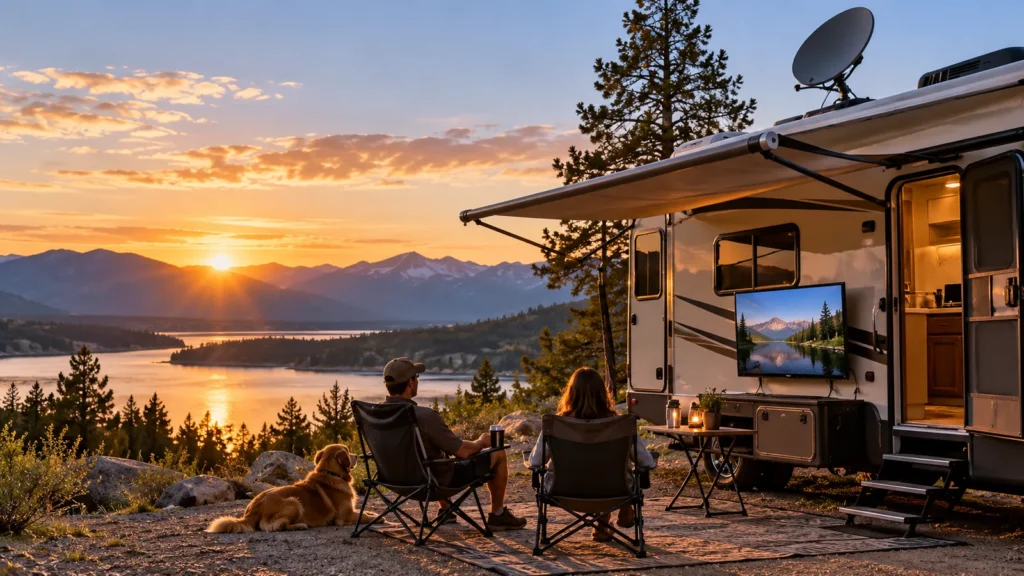
Satellite TV is still a practical choice for RV campers who want live sports, news, and familiar TV channels without relying on campground Wi-Fi. But for travelers who already use Starlink, mobile internet, or mostly watch on-demand content, it may no longer be the most cost-effective option.
The right setup depends on your viewing habits, existing subscriptions, campsite conditions, and how often you travel. This guide compares RV satellite TV options, setup requirements, real costs, free viewing choices, and streaming alternatives so you can decide which system actually fits the way you camp.
Does Satellite TV Still Make Sense for Your RV?
Satellite TV is most useful when live television matters and you do not want viewing to depend entirely on internet access. That can be valuable for RVers who follow live sports, news, weather, or traditional cable-style programming while traveling through areas where campground Wi-Fi or cellular service is inconsistent.
It may also make more financial sense if you already have a compatible satellite subscription at home. Some providers let existing customers add RV service or another receiver for much less than the cost of starting a completely separate television subscription. That means two RVers using similar hardware can still have very different monthly costs.
On the other hand, satellite may be unnecessary if you already carry reliable internet for remote work and mainly watch streaming or on-demand content. An RVer who already pays for Starlink or a strong mobile-data plan may find it easier to add streaming than to buy and maintain another television system. If your priority is simply local broadcast news and major network channels, an OTA antenna may be an even simpler starting point.
| Your Situation | Best Starting Point |
|---|---|
| Already have a compatible home satellite subscription | Check RV add-on options first |
| Want live TV without depending on campground internet | Satellite TV |
| Already carry reliable internet for work or travel | Compare streaming before adding satellite |
| Mainly want local broadcast channels | OTA antenna |
| Lowest monthly programming cost matters most | OTA or free streaming |
The important point is that satellite TV should solve a specific viewing problem. If you mostly watch Netflix after dinner, it may be more equipment than you need. If you regularly camp away from reliable internet and do not want to miss live games or news, it can still be a practical solution.
What Do You Need for Satellite TV in an RV?
An RV satellite setup is easier to understand when you separate the television from the signal system. The dish receives the satellite signal, the receiver handles the programming, and the TV simply displays the picture. That means you do not need a special television labeled “satellite TV.”
A typical system looks like this:
Satellite antenna → coaxial cable → satellite receiver → HDMI → TV
| Component | What It Does | What You Need to Check |
|---|---|---|
| Satellite antenna | Receives the satellite signal | Provider compatibility and intended use |
| Receiver | Decodes your subscribed programming | Compatible service and receiver support |
| Coax cable | Connects antenna and receiver | Whether existing RV wiring is satellite-ready |
| TV | Displays the picture | HDMI input, size, mounting and power |
| Power source | Runs the receiver and TV | Shore power, inverter or suitable DC arrangement |
The first purchase decision should usually be your content provider and antenna compatibility, not the television brand. Satellite antennas and receivers are not universally interchangeable between services, so choosing a dish before deciding which provider you plan to use can lead to compatibility problems.
The display is a separate decision. A regular smart TV, dedicated RV TV, or compatible portable smart TV may all work as the screen if the model has the required HDMI input, suitable power arrangement, and a practical way to mount or position it inside the RV. If you also plan to stream, smart-TV capability becomes more useful, but it is not required for satellite reception itself.
Which Satellite Setup Is Right for Your RV?
The labels used for RV satellite equipment can be confusing because they describe different things. Portable describes whether the antenna can be moved. Roof-mounted describes where it is installed. Automatic means it can locate the satellite without manual aiming. In-motion means it is specifically designed to continue tracking while the vehicle is moving.
That distinction matters because a portable antenna can still be automatic, while a roof-mounted antenna is not necessarily an in-motion system. Some automatic portable domes can even be mounted permanently on an RV roof while remaining stationary-use systems.
| Setup | Best For | Main Advantage | Main Limitation |
|---|---|---|---|
| Portable satellite antenna | Flexible campers and changing campsites | Can be moved away from obstructions | Must be placed, connected and stored |
| Roof-mounted automatic antenna | Frequent travelers who value convenience | Less equipment handling after arrival | Antenna position is tied to where the RV is parked |
| In-motion system | Passengers who want TV while traveling | Designed to track while the vehicle moves | Usually the most expensive option |
Portable Satellite Antennas
A portable antenna gives you the most freedom at the campsite. You can park the RV where it is comfortable and then position the dish somewhere with a clearer view of the sky. This is particularly useful at wooded campgrounds, where the roof of the RV may sit directly under branches while a more open location exists several feet away.
That flexibility comes with extra routine. The antenna needs to be placed outside, connected when you arrive, and stored before you leave. Cable routing and security also matter. A portable dish cannot simply be moved an unlimited distance from the RV because every system has practical cable-length and installation limits.
Portable also does not mean you must manually point the dish. Many modern portable systems can locate compatible satellites automatically after connection, removing much of the aiming work associated with older exposed-dish systems.
Roof-Mounted and In-Motion Systems
A roof-mounted automatic system reduces the amount of equipment you handle every time you arrive at a campsite. Once parked, the system can search for the appropriate satellite without requiring you to carry a dome outside and find a place for it. That convenience can be valuable for frequent travelers who move every few days.
The trade-off is positioning. If your RV is parked beneath dense trees or beside a large obstruction, the roof antenna cannot simply be carried into an open area. A portable system gives you more flexibility in that situation.
It is also important not to assume that a roof installation allows passengers to watch satellite television while the RV is moving. Roof-mounted and in-motion are not the same feature. If viewing while driving is important, the equipment must specifically support in-motion tracking. For most campers who only watch TV after parking, paying extra for that capability may not provide much benefit.
RV Satellite TV Setup
Once you have compatible equipment, the basic setup is straightforward. Most problems come not from connecting the TV itself, but from antenna placement, existing RV wiring, or the receiver’s first activation.
Basic Setup Steps
- Choose an open antenna location. Avoid placing the antenna where trees, buildings, or parts of the RV block the required view of the sky. With a portable system, moving the antenna a short distance can sometimes be enough to get around an obstruction.
- Connect the antenna to the satellite receiver. The coax cable normally runs from the antenna to the receiver’s satellite input. Do not assume every exterior RV coax connection is automatically suitable for satellite service.
- Connect the receiver to the TV. In most modern setups, this is simply an HDMI connection. This is why the television itself does not need built-in satellite capability.
- Connect power and turn on the system. The receiver and TV both need a suitable power source. Your exact arrangement may depend on whether the RV is using shore power, an inverter, or another compatible electrical setup.
- Complete activation and satellite search. Automatic antennas can locate supported satellites once properly connected. A new or long-unused receiver may also need software updates or activation before normal viewing begins.
Initial setup can sometimes take longer than later campsite setups, especially when a receiver needs activation or software updates after being unused for an extended period. For that reason, your first complete test is better done before leaving for a remote campsite, not after arriving somewhere with limited support options.
What Usually Causes Setup Problems?
One of the most common issues is the RV’s existing coax wiring. A wall or exterior connector may have originally been installed for campground cable TV rather than satellite. Some internal wiring passes through splitters, switches, or other components that can prevent the receiver and antenna from communicating correctly.
That leads to a useful troubleshooting rule: if the receiver cannot detect the antenna, test a direct coax connection before assuming the dish or receiver is defective. If the system works when the antenna is connected directly to the receiver, the RV’s built-in wiring is the next place to investigate.
The other major issue is obstruction. A campground can have excellent cellular reception and still be a poor satellite location if the dish cannot get the required view. Portable equipment gives you more freedom to move around obstacles, while a permanently roof-mounted antenna depends more heavily on where the RV itself is parked.
What Does RV Satellite TV Really Cost?
The monthly TV package is only one part of the cost. A realistic RV satellite budget should include the antenna, receiver, installation if required, programming, and additional equipment needed for more than one television.
As of October 2026, DISH lists new RV programming from approximately $74.99 per month, while existing DISH home customers can add RV service for around $5 per month. Portable antenna-and-receiver bundles are listed from roughly $428 SRP. These are current published figures rather than permanent prices, so they should be checked again before purchasing.
| Cost Category | What It Can Include |
|---|---|
| Hardware | Satellite antenna, receiver and required cables |
| Installation | Mainly relevant to permanent roof-mounted systems |
| Programming | RV-only plan or add-on to an existing subscription |
| Additional TVs | Extra receiver, cabling or compatible multi-TV equipment |
| Backup viewing | Optional OTA antenna or internet-based alternative |
The difference between a new subscriber and an existing home customer is important. A traveler who already pays for satellite TV at home may only be comparing the cost of adding RV hardware and another receiver. Someone starting from scratch must consider the full programming cost as well as the equipment.
Seasonal service also needs to be understood correctly. Pay-as-you-go service does not necessarily mean paying only for the exact number of days you camp. Some RV satellite plans are purchased in fixed billing periods, including 30-day increments, so occasional travelers should think in billing cycles rather than simply multiplying a daily rate.
A useful planning formula is:
First-Year RV Satellite Cost = Hardware + Installation + Programming + Additional Receivers or Accessories
If you plan to use two TVs, check the equipment limitations before assuming a “dual” antenna provides completely independent viewing. Some systems can connect two receivers but still have limitations on which channels or satellites the second receiver can access at the same time.
So before buying, ask one practical question: Do both TVs need to watch different channels independently, or do you simply need satellite access at two viewing locations?
Common RV Satellite TV Problems
Most RV satellite problems come from a small number of causes: blocked sky view, incompatible wiring, location changes, or multi-receiver limitations. Knowing where to look first can save more time than repeatedly restarting the receiver.
| Problem | Likely Reason | What to Try |
|---|---|---|
| No satellite signal | Trees, buildings, or RV position blocking the view | Reposition the antenna or move a portable dish to a clearer spot |
| Receiver cannot detect the antenna | RV coax wiring is not satellite-ready | Test a direct coax connection from antenna to receiver |
| Local channels changed after traveling | Your service location changed | Check your provider’s local-channel rules |
| Second TV loses access to some channels | Multi-receiver system limitation | Check receiver and antenna configuration |
| Setup takes unusually long | First activation or software update | Complete the first setup before your trip |
Trees are especially important because satellite television depends on a usable view toward the satellite. A portable dish can sometimes solve the problem simply by moving it away from the RV, while a roof-mounted system is limited by where the vehicle is parked.
Local channels can also change as you travel. Availability often depends on your current location, provider, and account setup, so do not assume your home local channels will automatically follow you everywhere. Travelers who depend heavily on local news, weather, or regional sports should check how their provider handles location changes before a long trip.
Can You Get Free Satellite TV in an RV?
Yes, free-to-air satellite television exists, but it is not the same as receiving paid DISH or DIRECTV programming for free. Free-to-air, or FTA, broadcasts are unencrypted satellite channels that can be received with compatible equipment.
The practical limitation is content. FTA systems often carry a mix of international, religious, news, radio, and specialty programming rather than the mainstream subscription channels many RV travelers expect. They also require their own compatible dish and receiver setup.
For most RVers asking how to watch television without another monthly subscription, OTA broadcast television is usually more practical than setting up a separate FTA satellite system. FTA is worth understanding, but it should not be confused with a free replacement for a normal paid satellite package.
Free and Low-Cost TV Options for RVers
Satellite television is only one way to watch TV on the road. If your main goal is reducing recurring costs, an OTA antenna, campground cable connection, or free streaming service may cover part or all of your needs.
| Option | Monthly TV Cost | Internet Needed | Main Limitation |
|---|---|---|---|
| OTA antenna | $0 | No | Depends on local broadcast coverage |
| Campground cable | Often included or site-dependent | No | Only available at some RV parks |
| Free streaming | $0 for some services | Yes | Internet or mobile data still costs money |
An OTA antenna can receive local broadcast channels where coverage is available. The actual channel lineup changes from place to place, so it is better to check local reception before arriving rather than relying on an advertised antenna range. When you move to a different region, run another channel scan so the TV can find the stations available at the new location.
Campground cable can be convenient when it is already included with the campsite, but it should be treated as a bonus rather than a dependable nationwide strategy. Many parks do not provide it, and some may charge separately.
Free streaming services can provide movies, shows, news, and live-style channels without a television subscription fee, but free programming does not mean free internet. You still need campground Wi-Fi, mobile data, or satellite internet strong enough to support streaming.
Satellite TV or Starlink and Streaming: Which Is Better for RV Travel?
Satellite TV and Starlink solve different problems. Satellite TV primarily delivers television programming, while Starlink provides internet access that can also be used for streaming. Comparing only the monthly prices can therefore be misleading.
| Factor | Satellite TV | Starlink / Streaming |
|---|---|---|
| Internet required | No | Yes |
| Live TV | Strong | Depends on streaming service |
| On-demand content | More limited | Strong |
| Trees and obstructions | Important | Also important |
| Existing home TV subscription | Can reduce added cost | Depends on streaming service |
| Remote campsite use | Good with clear satellite view | Good with a usable internet connection |
As of October 2026, Starlink’s U.S. Roam plans are listed at approximately $55 per month for 100GB, $80 for 300GB, and $175 for Roam Unlimited. Those prices cover internet access, not a separate paid live-TV subscription, so Starlink and satellite TV should not be compared as if they provide exactly the same service.
For an RVer who already pays for Starlink because they work remotely, the calculation changes. The internet cost already exists, so adding streaming may require only a television subscription or even just free apps. For someone who does not otherwise need internet, buying Starlink only to replace satellite TV may not be the cheaper solution.
Streaming also does not eliminate every location-related restriction. Live-TV services may change local channels or sports availability as you travel, and some services maintain home-area rules. The practical choice is usually straightforward: choose satellite if traditional live TV is a priority and you do not want viewing to depend on internet access. Choose streaming first if reliable internet is already part of your RV setup and most of your viewing is on-demand.
Which RV TV Setup Should You Choose?
The best RV television system depends more on your existing services and viewing habits than on which technology sounds newest. A weekend camper who mainly wants local news has a very different problem from a full-time traveler who watches live sports every night.
| Your Situation | Most Practical Starting Point |
|---|---|
| Already have DISH at home | Check RV add-on and compatible hardware first |
| Mainly watch live sports and news | Satellite TV |
| Weekend camper with simple needs | Portable satellite or OTA |
| Frequently camp under trees | Portable dish or internet-based viewing |
| Already use Starlink | Compare streaming before buying satellite equipment |
| Want the lowest monthly TV cost | OTA |
| Need two TVs with independent viewing | Confirm receiver and antenna limitations before buying |
If you are buying from scratch, choose the content source first. Decide whether you really need satellite channels, local OTA programming, or internet streaming. Then select the antenna, receiver, power arrangement, and television that support that choice.
This also prevents unnecessary spending. A traveler who mainly watches streaming apps may not need a satellite receiver at all, while someone who depends on live satellite programming does not need to pay extra for an advanced smart TV just to make the satellite system work.
RV TV Buying Checklist
Once the signal source is settled, choosing the display itself becomes much easier. The television should fit the RV physically, electrically, and functionally rather than simply offering the largest screen.
Before buying, check:
- HDMI input, not merely the presence of an HDMI port
- Screen size and available wall or cabinet space
- Power requirements and how the TV will be powered
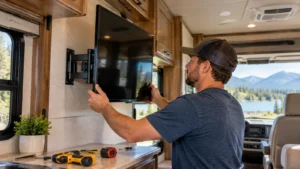
- Wall-mount or VESA compatibility
- Weight and suitability for the installation location
- Smart apps if streaming will also be used
A smart TV is not required for satellite television. The receiver normally handles the satellite programming and sends the picture to the TV through HDMI. Smart features become useful when you also want apps such as YouTube, Netflix, or free streaming services on the same screen.
For RV buyers, this separation is useful: the content source, receiver, and display do not all need to come from the same system or brand. What matters is compatibility between the connections, power requirements, mounting, and the way you actually plan to watch TV.
FAQs
How much does satellite TV for an RV cost?
Expect both equipment and programming costs. As of October 2026, DISH lists RV programming from about $74.99 per month for new customers and portable hardware bundles from about $428 SRP. Existing home customers may qualify for a lower RV add-on cost.
Does RV satellite TV work without Wi-Fi?
Yes. Satellite TV programming itself does not require campground Wi-Fi. The antenna and receiver communicate with the satellite directly, although some apps, updates, or account features may still use internet access.
Can I use my home satellite TV service in my RV?
Often, yes, but it depends on your provider, account type, receiver, and antenna compatibility. Existing customers may be able to add an RV receiver or mobile service instead of opening a separate television account.
Can satellite TV work when the RV is parked under trees?
Only if the antenna still has a usable view toward the required satellite. Dense trees can block reception. A portable dish may help because it can be moved away from the RV to a clearer location.
Is Starlink better than satellite TV for an RV?
Not necessarily. Starlink is primarily an internet service that supports streaming, while satellite TV is designed to deliver television programming without relying on internet data. The better choice depends on what you already pay for and what you watch.