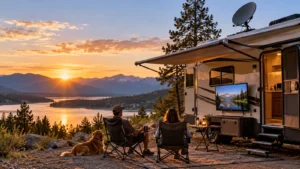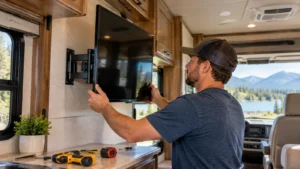
Campground cable TV is often the better choice for reliable live channels when your RV park provides a working hookup. Wireless streaming offers more flexibility for movies, shows, and live TV apps, but it depends on a stable internet connection.
The difference becomes clear when campground Wi-Fi slows down during busy evenings or when you arrive at a site without cable service. Neither option works best everywhere, and you may not need to buy new equipment to get a better viewing experience.
This guide compares cable and wireless campground TV, explains how to connect each option, and helps you choose a practical setup for your camping style.
Is Cable or Wireless TV Better for Campgrounds?
For most RV travelers, the biggest difference between cable and wireless TV is not picture quality or the number of channels. It is how each service reaches your television. Campground cable relies on the park’s television distribution system, while wireless streaming relies on an internet connection. Both can provide a good viewing experience, but each has limitations that become more noticeable when traveling between campgrounds.
Cable TV is generally a practical choice when the campground provides a working hookup and you mainly watch live programming. Wireless streaming is more attractive when you prefer on-demand entertainment or already have a reliable mobile internet connection. The better option depends on which service is available and how well it performs at your particular campsite.
How Campground Cable and Wireless Streaming Work
Campground cable TV typically reaches your RV through a coaxial cable connected to a utility pedestal or designated cable outlet. The signal travels through your RV’s cable wiring to a television with a compatible tuner or an appropriate receiver. Once the television is set to the correct input and its channels are scanned, you can watch whatever programming the campground provides. This connection does not require campground Wi-Fi or cellular data.
Wireless TV, in this comparison, means internet-based streaming rather than free over-the-air antenna broadcasts. A Smart TV or streaming device, such as a Roku or Fire TV Stick, connects to campground Wi-Fi, a smartphone hotspot, or another internet service. You can then access compatible streaming apps, including Netflix, YouTube, and live TV services. Unlike cable, streaming does not require a campground television hookup, but it does require sufficient internet performance.
This distinction matters because some RVers assume that having Wi-Fi automatically means they can stream television. In reality, a campground network may work well for checking email but struggle with continuous video playback, particularly when many guests are online.
Reliability, Channels, Costs, and Convenience
The following comparison highlights the differences that matter most when choosing a campground TV connection.
| Factor | Campground Cable TV | Wireless Streaming |
|---|---|---|
| Internet required | No | Yes |
| Campground cable hookup | Required | Not required |
| Reliability | Depends on the park’s cable infrastructure | Depends on internet speed and stability |
| Available content | Channels provided by the campground | Streaming apps, on-demand shows, and subscribed live TV |
| Equipment | Coaxial cable and compatible TV tuner or receiver | Smart TV or streaming device with internet access |
| Potential costs | May be included in campground fees or require additional equipment | Internet data and streaming subscriptions |
| Setup | Connect cable, select input, and scan channels | Connect to internet and sign in to apps |
| Best suited for | Live TV at equipped campgrounds | On-demand entertainment and flexible viewing |
Reliability is one of the strongest reasons to keep campground cable available. Because cable TV does not use your internet connection, a crowded Wi-Fi network will not directly interrupt its signal. However, cable is not immune to problems. Aging campground wiring, damaged connectors, poor signal distribution, or unavailable channels can still affect reception.
Wireless streaming has a different set of challenges. For example, Netflix recommends a stable internet connection of at least 5 Mbps for 1080p video and 15 Mbps for 4K streaming, according to its official internet speed guidelines. These recommendations help explain why a connection suitable for ordinary browsing may not deliver smooth high-definition video. Even when a speed test looks acceptable, network congestion or interruptions can still cause buffering.
Content preferences also influence the decision. Campground cable may offer local news, weather, sports, and entertainment channels, but the lineup varies by park. Streaming provides greater freedom to choose programs and watch them on demand, although access to live channels and certain programs depends on your subscriptions and location.
Cost is less straightforward than it first appears. Some RV parks include cable television in their site fees, making it inexpensive to use. Streaming may use subscriptions you already pay for, but mobile data can become an additional expense. Netflix, for example, states that HD streaming at its high data setting can use up to 3 GB per hour, depending on the selected quality settings (Netflix data usage guide). For someone relying on a limited hotspot plan, that can matter more than the television itself.
Convenience ultimately comes down to your existing setup. If you already have a working coaxial connection and enjoy live television, cable may take only a few minutes to configure. If your Smart TV is already connected to dependable internet and your apps are signed in, streaming may be easier. Neither system is automatically more convenient in every campground.
Which TV Option Should You Choose for Different Campgrounds?
The most useful way to choose between cable and wireless TV is to consider your actual camping habits rather than comparing the technologies in isolation. A family spending weekends at private RV resorts may have very different needs from someone traveling between public campgrounds or camping without utility hookups.
Before arriving, check whether the campground specifically lists cable TV, Wi-Fi, or both among its amenities. A site described as having full hookups does not necessarily include cable television, and a listing that advertises Wi-Fi does not guarantee that the connection is suitable for video streaming.
Full-Hookup RV Parks and Short Stays
Private RV resorts and established commercial campgrounds are among the places where you may find cable TV hookups. If the service is included and working, using it can be an easy way to watch live programming without worrying about internet speed or cellular data consumption.
For example, imagine spending a week at an RV resort where the cable connection provides the local news, weather, and sports channels you regularly watch. Even if you have a streaming subscription, cable may be more convenient for everyday viewing. You can still switch to streaming when you want a particular movie or on-demand series.
For a one-night stop, however, the decision may be different. If your Smart TV or Roku is already connected to a reliable personal hotspot, you might prefer to continue using that setup rather than connecting campground cable and scanning channels. Conversely, when cellular service is poor but the park offers cable, spending a few minutes setting it up could save frustration.
Length of stay matters because convenience includes the time needed to establish a working connection. The best setup for a short overnight visit is not necessarily the one you would choose for several weeks at the same park.
Public Campgrounds and Remote Camping
State parks, national park campgrounds, and more remote camping areas may offer fewer television and internet amenities than commercial RV resorts. Some provide electricity and limited Wi-Fi, while others have neither cable hookups nor dependable cellular coverage. Checking the specific campground’s facilities is more useful than assuming all public parks offer the same services.
When cable is unavailable, wireless streaming becomes attractive if you have sufficient internet access. A smartphone hotspot may be all you need in an area with strong cellular service. However, coverage maps cannot guarantee performance at an individual campsite, particularly in mountainous terrain or places with heavy tree cover.
The Federal Communications Commission explains that mobile coverage information is based on modeled signal availability and that real-world performance can differ because of environmental conditions, equipment, and network capacity (FCC National Broadband Map).
Here is a practical starting point for different camping situations.
| Camping situation | Recommended starting option | Why |
|---|---|---|
| RV resort with working cable TV | Campground Cable | Live channels without relying on internet |
| Campground with reliable Wi-Fi but no cable | Wireless Streaming | Access existing apps and subscriptions |
| No cable but strong cellular service | Mobile Hotspot Streaming | Uses an internet connection you may already have |
| Remote campsite with limited connectivity | OTA Antenna or Offline Content | Does not require continuous internet access |
| Frequent travel between different campgrounds | Hybrid Setup | Provides alternatives when one connection is unavailable |
In remote camping areas, an over-the-air (OTA) antenna may receive free local broadcast channels if you are within usable signal coverage. Previously downloaded shows can also provide entertainment without an active connection. Satellite internet is another possibility for travelers who need internet in areas without reliable cellular service, although it requires suitable equipment and a sufficiently unobstructed view of the sky.
The important consideration is not how many television technologies you can carry, but which ones solve problems you actually encounter. Someone who camps mainly at RV resorts may be perfectly satisfied with cable and an occasional hotspot. Someone who frequently changes locations may benefit from more than one viewing source.
Once you have identified the best connection for your usual campground, the next step is making sure your RV television can use it properly.
Setting Up Cable TV and Wireless Streaming in Your RV
Once you have chosen between campground cable and wireless streaming, getting connected is usually straightforward. However, the setup depends on your RV’s existing wiring, your television’s capabilities, and the services offered at the campground. A Smart TV does not automatically support every cable television signal, and a campground Wi-Fi connection does not always work like your home network.
Before changing equipment or buying additional devices, check what your RV already has. Many RVs include an exterior cable input, internal coaxial wiring, and an antenna or cable selection system. If you use a streaming device such as Roku or Fire TV Stick, you will also need a television with a compatible HDMI input and access to a suitable internet connection.
To connect campground cable TV:
- Confirm cable TV availability. Check that the campground provides television service at your campsite. A coaxial outlet does not necessarily mean the service is active.
- Connect the coaxial cable. Run a coaxial cable from the campground’s cable TV outlet to your RV’s exterior connection labeled Cable In or CATV.
- Switch to cable reception. If your RV uses an antenna booster or antenna/cable selector, follow its instructions to select cable reception. On many systems, this means turning off the antenna booster.
- Select the correct TV signal source. Open your television’s settings and choose Cable or CATV rather than Antenna or Air.
- Scan for channels. Run an automatic channel scan and wait for the television to identify available programming.
These steps follow the general troubleshooting approach described in Tiffin Motorhomes’ cable TV guide. Exact settings vary by RV and television model. Some campgrounds also require a separate cable receiver, particularly when their television service uses encrypted channels.
For wireless streaming, the process is different because the television receives its content through the internet instead of a cable television signal.
- Choose an internet source. Use campground Wi-Fi, a smartphone hotspot, or another internet service available at your campsite.
- Connect your television or streaming device. Open the network settings and select the appropriate Wi-Fi network.
- Complete any required authentication. Some campground networks require a browser login or acceptance of their terms before granting internet access.
- Open your streaming app. Sign in to Netflix, YouTube, or your preferred live TV or on-demand service.
- Test actual playback. Play a video for several minutes to confirm that the connection remains stable.
Public Wi-Fi authentication can sometimes be more complicated on a television than on a phone. For instance, compatible Roku devices offer a Hotel & Dorm Connect feature that helps users complete certain public-network sign-in procedures through another device. Roku explains this process in its official connection guide.
If your television connects successfully but videos repeatedly buffer, the problem may be the available internet capacity rather than the television. Before purchasing new equipment, try a different connection or reduce the streaming quality to see whether playback improves.
Common Campground TV Connection Problems
Even when a campground advertises cable television or Wi-Fi, getting everything working is not always as simple as plugging in a cable or selecting a network. RV owners frequently encounter missing channels, buffering, login failures, and confusion over which connections their televisions support. Fortunately, several of these issues can be checked without replacing equipment.
The most effective approach is to identify whether the problem involves the television signal, the internet connection, or the device receiving it. These are different systems, and each requires a different solution.
| Problem | Possible cause | What to try |
|---|---|---|
| Cable connected but no channels appear | Incorrect source, antenna booster setting, or inactive cable service | Select Cable/CATV, check the booster, and scan again |
| Some cable channels are missing | Campground channel lineup or receiver requirements | Ask the campground about available channels and equipment |
| Smart TV connects but streaming buffers | Slow or congested campground Wi-Fi | Test connection speed, reduce video quality, or use a hotspot |
| Roku cannot complete campground Wi-Fi login | Public-network authentication or captive portal | Follow Roku’s supported public Wi-Fi sign-in procedure |
| Television has HDMI but no usable coaxial input | Missing compatible TV tuner or receiving equipment | Check whether an appropriate external tuner or receiver is needed |
| Phone hotspot connects but streaming remains unreliable | Weak cellular service or data-plan limitations | Check signal quality, speed, and hotspot restrictions |
One particularly common cable problem is finding no channels after connecting to the campground pedestal. Before assuming that the television needs a new receiver, verify that its signal source is set to Cable instead of Antenna. Many RV antenna systems also require the antenna booster to be switched off when receiving campground cable. If another channel scan still finds nothing, the campground staff may be able to confirm whether the service is active and whether a receiver is required.
Another source of confusion is the difference between coaxial and HDMI connections. A coaxial cable can carry television signals that require a compatible tuner or receiver, while HDMI carries digital audio and video from a source device to a display. A simple passive coax-to-HDMI cable is not a universal solution for watching campground cable TV. If your television lacks a compatible coaxial input or tuner, you may need an external receiving device that can output HDMI. This is especially relevant when an RV’s existing entertainment system was originally configured around a satellite receiver.
Wireless streaming failures require a different approach. A television may connect to campground Wi-Fi but still fail to load streaming apps because the network requires additional authentication. Alternatively, the login may succeed while video playback remains slow because too many campers are sharing limited bandwidth. Testing the same service through a mobile hotspot can help identify whether the campground connection is responsible, provided your cellular signal is strong enough.
It is also worth distinguishing campground cable TV from cable internet. A cable television hookup at an RV pedestal does not automatically provide broadband internet through a cable modem. Some long-term RV parks offer separately provisioned wired internet services, but this should be confirmed with the campground or service provider rather than assumed from the presence of a coaxial outlet.
A Simple Hybrid Setup for Reliable Campground TV
For RV travelers who frequently move between campgrounds, relying entirely on one television connection can be inconvenient. An RV resort might offer excellent cable TV but limited Wi-Fi, while another park may provide internet access without any cable television hookup. A remote campsite may offer neither.
A hybrid campground TV setup addresses these differences by keeping more than one way to receive entertainment available. It does not mean installing every television system on the market. Instead, the goal is to combine a few options that complement one another without adding unnecessary expense or complexity.
For many RV owners, three viewing sources are worth considering:
- Campground Cable TV: Useful for live channels when a campground provides a working connection.
- Wireless Streaming: Provides on-demand entertainment and subscribed live TV when reliable internet is available.
- Over-the-Air (OTA) Antenna: Receives free local broadcast channels where signal coverage allows, without using cellular data or campground Wi-Fi.
An OTA antenna can be particularly useful as a backup, although its performance depends on broadcast coverage, terrain, surrounding obstacles, and antenna placement. It should not be treated as a guarantee of television reception in remote areas.
For a weekend camper who usually stays at full-hookup resorts, carrying a coaxial cable and using an existing Smart TV may be sufficient. Someone who travels across different states might prefer a combination of streaming, OTA reception, and campground cable when available. Downloading a few shows or movies onto a compatible device before traveling can provide another option when no dependable live connection exists.
Satellite internet may also help some frequent travelers, but it is not essential for every RV. Services such as Starlink require suitable equipment, ongoing service costs, and a sufficiently clear view of the sky. Heavy tree cover can interfere with connectivity, making it important to evaluate the campsites you actually visit before committing to additional equipment.
Ultimately, cable and wireless TV serve different needs rather than competing as universal replacements. Cable is often convenient for live television at equipped RV parks, while streaming provides more content flexibility wherever dependable internet is available. If your camping locations vary, a modest backup setup can deliver a more consistent experience than relying exclusively on either one.
FAQs
Can you watch TV at a campground without Wi-Fi?
Yes. Campground cable TV, an over-the-air antenna, or a satellite TV system can provide television without Wi-Fi when the required service or signal is available. Previously downloaded content also works offline on compatible devices.
Do all campgrounds have cable TV hookups?
No. Cable TV is available at some private RV parks and resorts, but it is not a standard amenity at every campground. Check the campsite’s listed facilities before arriving.
Does campground cable TV require a cable box?
Not always. A television with a compatible tuner can receive certain campground cable channels directly. A separate receiver may be required when the campground uses encrypted channels or another system your television cannot decode.
Can I use my phone as a hotspot for RV TV?
Yes. A Smart TV or streaming device can use your smartphone’s hotspot if your cellular connection and data plan support it. Streaming quality depends on signal strength, available speed, and hotspot restrictions.
Does a campground cable hookup provide internet?
Usually not. A campground cable TV outlet is intended for television service. Some RV parks offer separate wired internet connections, but broadband availability and activation must be confirmed with the park or service provider.